
If your Viber activation code is not received, first check that your phone number is entered in the correct international format, then wait a few minutes before requesting another code. In many cases, the issue is not with your account but with SMS delays, mobile network problems, VPN settings, call/SMS blocking, or too many activation attempts.
Viber uses a verification code to confirm that you own the phone number you are trying to register. Without that code, the app cannot complete activation. The good news is that most cases can be fixed with a few careful checks before contacting support.
Quick checklist before you request another code
Start with these simple checks. They solve a large share of Viber verification code problems.
- Make sure your phone can receive regular SMS messages and phone calls.
- Enter your number without the first local zero, unless your country format requires it.
- Choose the correct country code from the list in the app.
- Turn off VPN, proxy, or private DNS temporarily.
- Move to a place with stronger mobile signal.
- Wait at least a few minutes before requesting a new code.
- Try call verification if SMS does not arrive.
- Do not keep tapping resend, as too many attempts can trigger a temporary block.
If you are setting up Viber for the first time, make sure you are using the latest version of the Viber app. An outdated app can cause activation screens, retry buttons, or call verification options to behave unpredictably.
Why the Viber activation code may not arrive
There is rarely one single reason for a missing code. The table below shows the most common causes and what you can do next.
| Possible cause | What it looks like | What to do |
|---|---|---|
| Incorrect phone number format | The code is sent to the wrong number or never reaches you | Check country code, remove extra zeros, and re-enter the number carefully |
| SMS delivery delay | The code arrives late, sometimes after several minutes | Wait before requesting another code; avoid repeated attempts |
| Weak mobile network | Regular texts or calls are also delayed | Switch locations, restart the phone, or try mobile network instead of Wi-Fi |
| VPN or proxy enabled | Activation fails or behaves inconsistently | Disable VPN, proxy, private DNS, and retry after restarting the app |
| Call or SMS blocking | Verification messages or calls may be filtered | Check blocked numbers, spam filters, and carrier-level blocking services |
| Too many attempts | Viber asks you to wait or does not send another code | Stop retrying and wait for the temporary limit to reset |
| Unsupported number type | VoIP, landline, or virtual numbers may fail | Use an active mobile number that can receive SMS and calls |
Step-by-step fixes for Viber code not received
1. Confirm the phone number format
The most important check is also the easiest to miss. Viber activation depends on the full international phone number, including the correct country code.
- Open the activation screen.
- Select your country from the country list instead of typing the code manually if possible.
- Enter your mobile number without spaces, brackets, or special symbols.
- If your local number starts with a zero, try entering it without that leading zero after the country code.
- Review the final number shown on screen before confirming.
For example, if your country code already replaces the local dialing prefix, adding the local zero again may create an invalid number. This is one of the most common reasons a Viber code is not received.
2. Wait for SMS delays instead of resending immediately
SMS verification is not always instant. Delivery can be delayed by carrier congestion, roaming, poor signal, or temporary routing issues. If you request another code too quickly, you may confuse the process or trigger Viber’s rate limits.
A sensible approach is to wait several minutes after the first request. If the code arrives late, use the newest valid code shown by Viber’s activation flow. Older codes may expire or be replaced by a newer request.
3. Use call verification if SMS does not work
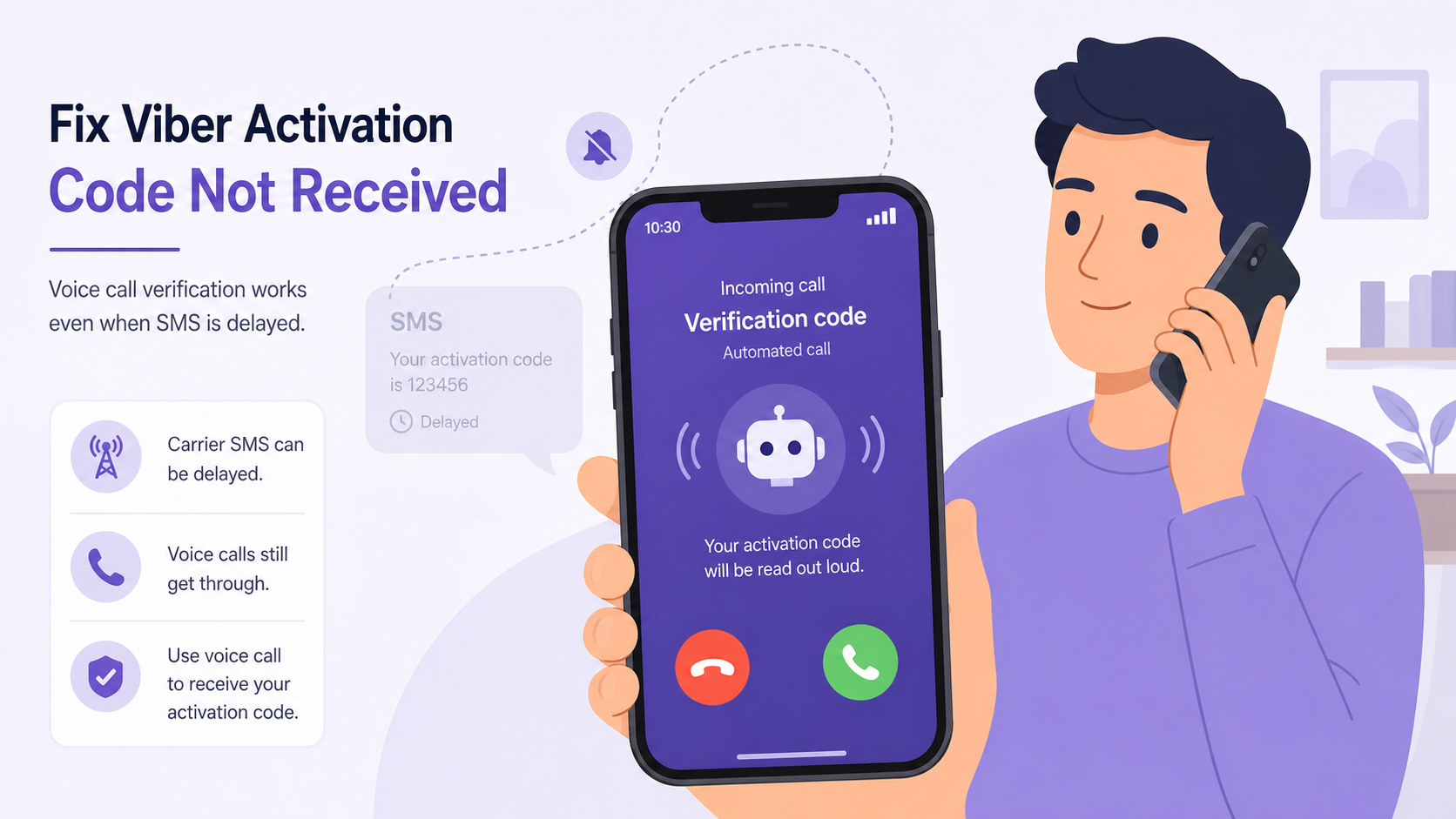
Viber may offer phone call verification after SMS verification fails or times out. In this method, you receive an automated call that reads the verification code aloud.
- Keep your phone available and do not enable airplane mode.
- Answer calls from unknown or international numbers during the verification window.
- Make sure call forwarding, call screening, or spam blocking is not rejecting the call.
- Write the code down carefully before entering it.
Call verification is especially useful when your carrier delays SMS but voice calls still work normally.
4. Check your mobile signal and network settings
Viber activation needs your device to receive an SMS or phone call, so weak signal can stop the process even if your internet connection looks fine. Wi-Fi alone is not enough if your SIM cannot receive mobile messages.
- Restart your phone to refresh the carrier connection.
- Move closer to a window or go outside if signal is weak.
- Turn airplane mode on for 10 seconds, then turn it off.
- Confirm that your SIM card is active and not suspended.
- If you are roaming, check whether your plan allows receiving SMS abroad.
If regular SMS messages from friends or banks are also delayed, the problem is likely with your mobile network or carrier rather than Viber.
5. Turn off VPN, proxy, and private DNS
VPNs and proxies can make activation checks look unusual, especially if your IP location does not match your phone number region. They can also interfere with app connections during verification.
Temporarily disable:
- VPN apps
- Proxy settings
- Private DNS
- Traffic filtering or firewall apps
- Battery saver modes that restrict background data
After turning them off, close Viber completely, reopen it, and try the activation process again. You can turn your VPN back on after the account is activated.
6. Check blocked messages, spam filters, and carrier restrictions
Some phones and carriers filter automated verification messages. This is more common if you use aggressive spam protection or third-party call-blocking apps.
- Check your SMS spam or blocked folder.
- Review blocked numbers in your phone settings.
- Disable third-party SMS and call filter apps temporarily.
- Ask your carrier whether international SMS or automated verification messages are blocked.
On some devices, verification texts may not appear in the main inbox if they are categorized as promotional, unknown sender, or spam.
7. Avoid too many activation attempts
If you request the Viber verification code repeatedly, Viber may temporarily limit activation attempts to protect users from abuse. When that happens, continuing to retry usually makes the waiting time longer rather than shorter.
If Viber tells you to wait, the safest fix is to stop requesting new codes and come back later. Reinstalling the app repeatedly or switching networks over and over may not bypass the limit.
Wait until the restriction clears, then try again with the correct number format, stable mobile signal, and VPN turned off.
8. Update or reinstall Viber if the activation screen is stuck
If the app freezes, does not show the call option, or keeps returning to the same screen, update it first. If you need a fresh installer, use the official download viber page rather than unknown app files from the web.
Before reinstalling, remember that removing the app may affect local app data if it has not been backed up. If you are only trying to receive an activation code, it is usually better to check number format, network, VPN, and retry limits first.
SMS verification vs call verification
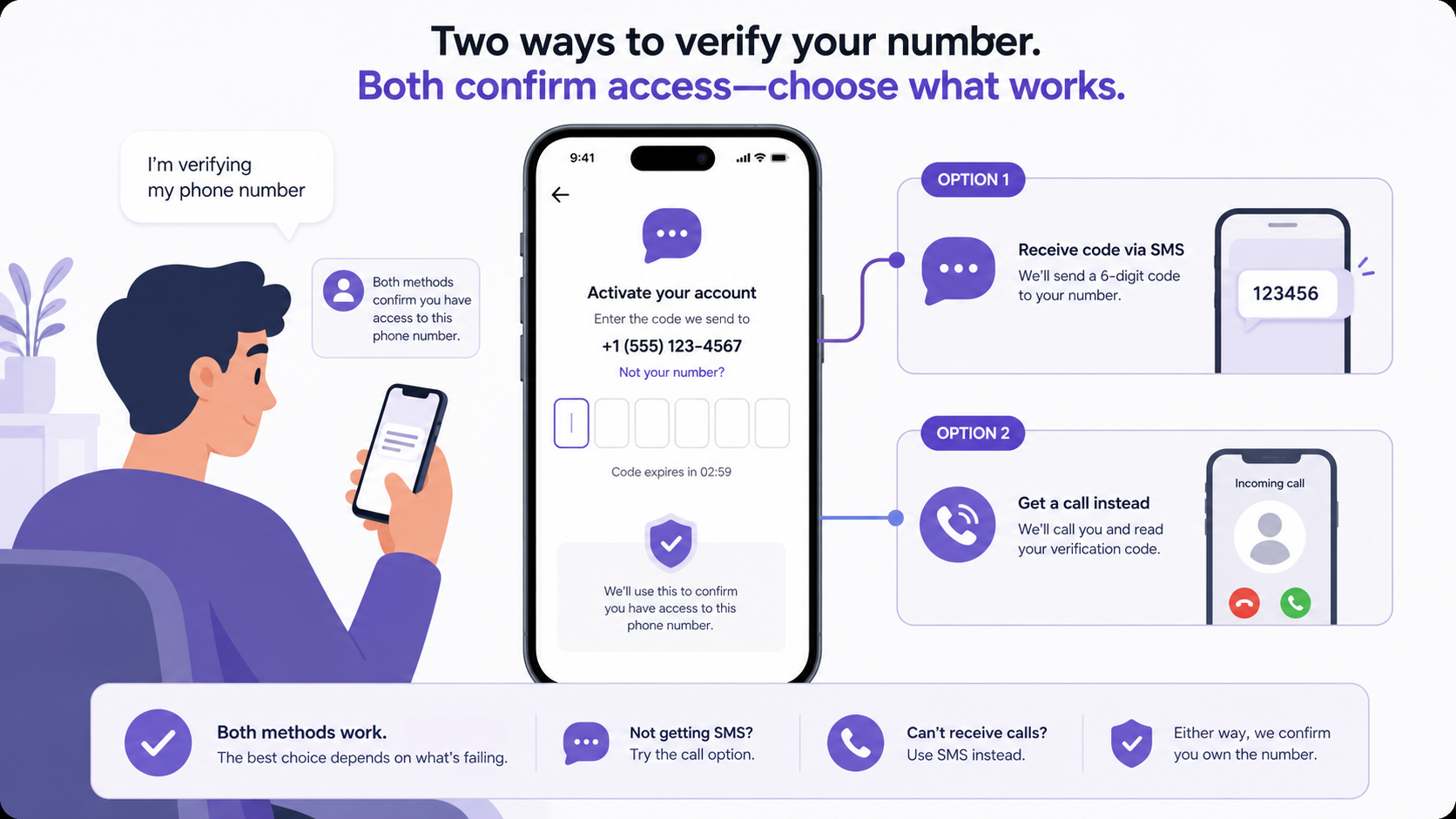
Both methods confirm the same thing: that you have access to the phone number. The better choice depends on what is failing.
| Method | Best for | Limitations |
|---|---|---|
| SMS verification | Most normal activations when SMS delivery is working | Can be delayed by carrier issues, roaming, spam filters, or wrong number format |
| Call verification | Cases where SMS is delayed but phone calls work | May fail if unknown calls are blocked, call screening is enabled, or signal is weak |
What not to do when the code does not arrive
When activation fails, it is tempting to try anything that looks like a shortcut. Some actions can make the situation worse or put your account at risk.
- Do not use random virtual numbers found online. They may be unsupported or already used by someone else.
- Do not share your Viber activation code with anyone, even if they claim to be support staff.
- Do not keep requesting codes every few seconds.
- Do not install modified or unofficial app files.
- Do not assume Wi-Fi quality means SMS delivery is working; SMS depends on your mobile carrier.
For general tips, updates, and safer usage guidance, you can also browse the Viber Blog.
When to contact support
If you have checked the number format, waited for SMS delays, tried call verification, turned off VPN, confirmed your SIM can receive SMS and calls, and still cannot activate Viber, it may be time to contact support.
Before you do, prepare the following information:
- Your country and mobile carrier.
- The device model and operating system version.
- The Viber version you are using.
- Whether SMS, call verification, or both failed.
- Any error message shown on the activation screen.
Do not include your full verification code in support messages. A legitimate support process should not require you to share a live activation code.
Conclusion
When a Viber activation code does not arrive, the best fix is to slow down and check the basics in order: phone number format, SMS delay, mobile signal, call verification, VPN settings, spam filters, and retry limits. Most users can solve the problem without advanced troubleshooting. If nothing works after a reasonable wait, contact support with clear details so the issue can be reviewed properly.
FAQ
Why am I not receiving my Viber activation code?
You may not receive the code because your phone number is entered incorrectly, SMS delivery is delayed, your mobile signal is weak, VPN is interfering, your carrier is blocking automated messages, or you requested too many codes in a short time.
How long should I wait for a Viber verification code?
Wait at least several minutes before requesting another code. SMS delivery can be delayed by the carrier. Repeatedly requesting new codes too quickly may trigger a temporary activation limit.
Can I get my Viber code by phone call instead of SMS?
Yes, Viber may offer call verification if SMS verification fails or times out. Make sure your phone can receive calls, unknown callers are not blocked, and your signal is strong enough.
Does VPN affect Viber activation?
Yes, a VPN or proxy can interfere with activation, especially if your IP location does not match your phone number region. Turn it off temporarily, restart Viber, and try again.
What should I do if Viber says I made too many attempts?
Stop requesting codes and wait for the temporary limit to reset. Continuing to retry usually does not help and may extend the delay. Try again later with the correct number format and a stable mobile connection.