
Yes, Viber is generally safe to use for everyday messaging and calling, especially because private chats, group chats, and calls are protected with end-to-end encryption by default. That said, no messaging app removes every risk. Your safety also depends on your privacy settings, how you handle unknown contacts, whether your phone is secure, and whether you avoid scams or suspicious links.
For most people, the Viber app is a reasonably secure messaging option when used with the right settings. The key is understanding what Viber encryption protects, what Viber privacy controls can and cannot hide, and which account safety habits matter in real life.
How Viber Security Works
Viber’s main security promise is that personal conversations are protected from being read in transit. In plain English, your messages and calls are scrambled on your device and only decrypted on the recipient’s device. This reduces the chance that a network provider, public Wi-Fi operator, or attacker intercepting traffic can read your private conversation.
Viber also includes privacy tools such as hidden chats, controls for online status and read receipts, spam protection, blocking and reporting, and account verification features. These tools are useful, but they work best when you actively turn on the settings that match your comfort level.
Viber Encryption Explained
What end-to-end encryption protects
Viber encryption is designed to protect the content of private communications. In supported private chats, group chats, voice calls, and video calls, the message or call content is encrypted from sender to recipient. Viber says it does not have access to the readable content of those end-to-end encrypted conversations.
- Private messages: Text, photos, videos, and files in personal chats are protected in transit.
- Group chats: Messages shared in regular group chats are also protected by end-to-end encryption.
- Calls: Viber voice and video calls are encrypted between participants.
- Devices: Encryption applies between the devices participating in the conversation, so device security remains important.
What encryption does not solve
End-to-end encryption is important, but it is not a complete safety shield. It does not stop the person on the other end from saving, forwarding, screenshotting, or sharing what you send. It also does not protect you if your phone is infected with malware, your screen is unlocked, or someone gains access to your Viber account through your SIM or verification code.
A secure messaging app protects messages in transit, but your behavior, device security, and contact trust still decide how private the conversation really is.
Viber Privacy Settings Worth Checking
Viber privacy settings help you control how visible you are to others. The exact menu names can vary slightly by device and app version, but the important controls are usually found under Settings, then Privacy.
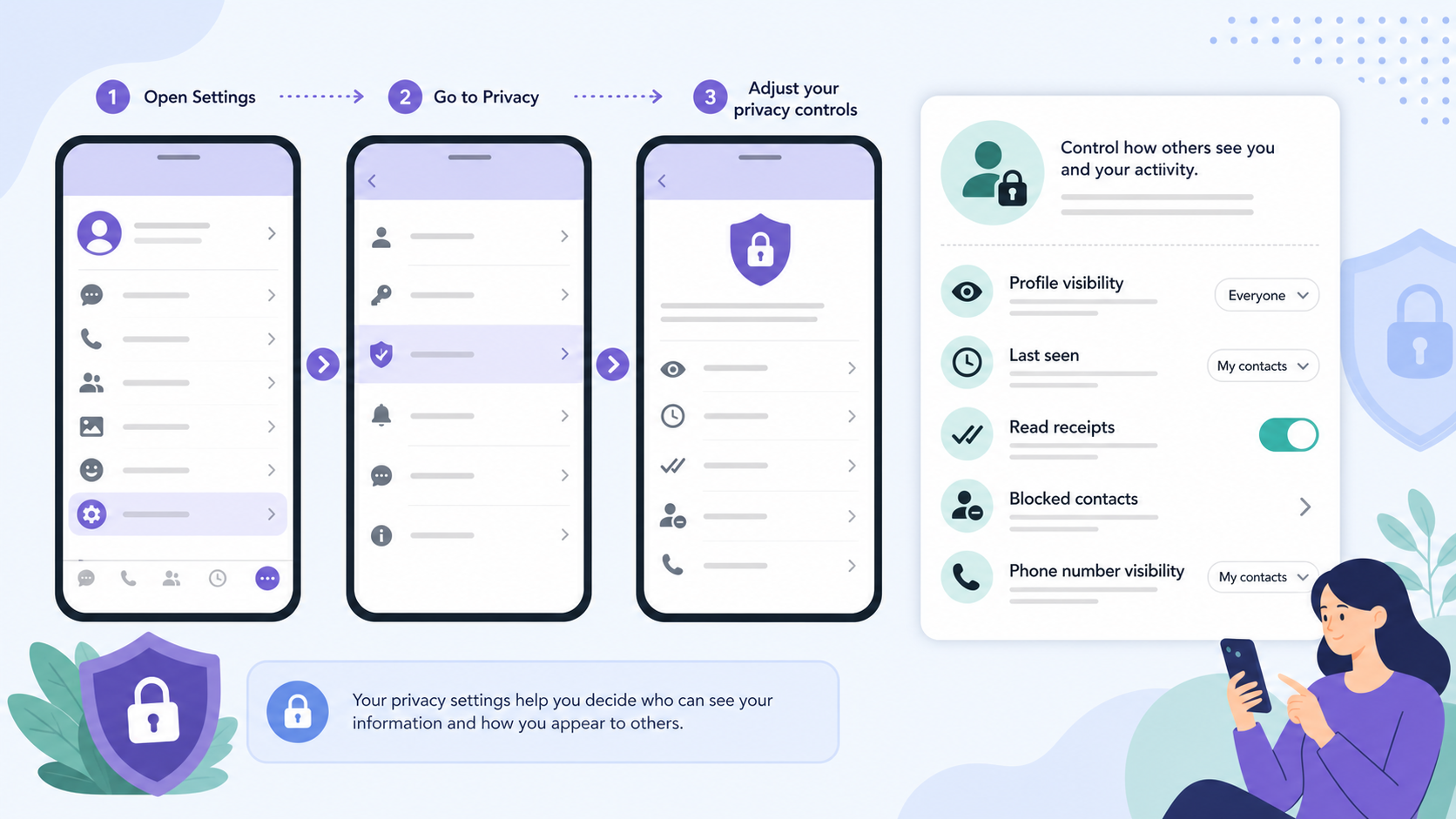
Recommended privacy settings
- Open Viber settings: Go to More or Settings, then choose Privacy.
- Review online status: Decide whether others can see when you are online or recently active.
- Turn off read receipts if needed: This stops people from seeing whether you have read their messages, though it may also limit what you can see from them.
- Limit profile photo visibility: If available, restrict your profile picture to contacts only.
- Control group invitations: Use available options to reduce unwanted additions to groups or communities.
- Check caller ID and spam settings: Enable tools that help identify unknown callers or suspicious messages if your region supports them.
If you are setting up the app for the first time, use the official download source and avoid modified installers. You can download Viber from a trusted page rather than relying on random files shared in chats or forums.
Hidden Chats and Chat Privacy Options
Viber has offered hidden chat features that let users remove selected conversations from the main chat list and access them with a PIN or search method. Availability and naming can vary by platform and app version, so it is worth checking your current Viber privacy menu.
When hidden chats are useful
- You share your phone with family members or colleagues for short periods.
- You want sensitive conversations to be less visible in the main chat list.
- You need an extra layer of local privacy if someone glances at your screen.
Important limits of hidden chats
Hidden chats do not make unsafe contacts safe. They also do not prevent screenshots, message forwarding, or access by someone who knows your phone unlock code and Viber PIN. Think of hidden chats as a local privacy feature, not a replacement for account security.
Spam Protection, Scams, and Unknown Contacts
One of the most practical risks on any messenger is not encryption failure; it is social engineering. Scammers may pretend to be delivery companies, banks, employers, crypto investors, customer support agents, or even friends using a new number.
Viber includes options to block and report suspicious accounts, and in some regions it may identify spam-like messages or callers. These tools help, but they are not perfect. You should still treat unexpected links, urgent payment requests, and verification-code requests as suspicious.
Red flags to watch for
- Someone asks for your Viber activation code or one-time password.
- A stranger sends a link and pushes you to open it quickly.
- A contact asks for money in an unusual tone or from a new number.
- A message claims your account will be closed unless you verify immediately.
- A group or community promotes unrealistic investment returns.
Viber Safety Features Compared
| Feature | What it helps with | What to remember |
|---|---|---|
| End-to-end encryption | Protects message and call content between participants | Does not stop screenshots, forwarding, or compromised devices |
| Hidden chats | Keeps selected chats out of the main chat list | Useful for local privacy, not a full security solution |
| Read receipt controls | Limits whether others can see when you read messages | May also limit what you can see from others |
| Online status controls | Reduces visibility of your activity | Settings may be limited by app version or usage rules |
| Block and report | Helps stop harassment, spam, and scam accounts | Use it quickly when a message feels suspicious |
| Two-step verification or PIN options | Adds protection against account takeover | Keep recovery details current and never share codes |
Account Safety Tips for Viber Users
The safest Viber setup combines app settings with basic phone security. These steps are simple, but they prevent many common problems.
- Never share activation codes. Viber, banks, and legitimate support teams should not ask you to forward one-time codes in chat.
- Use a strong phone lock. A secure passcode, fingerprint, or face unlock protects your chats if your device is lost.
- Enable extra verification if available. If your app offers two-step verification, a PIN, or recovery email, set it up.
- Keep Viber updated. Updates often include security fixes and improvements to spam protection.
- Review linked devices. Remove desktop or tablet sessions you no longer use.
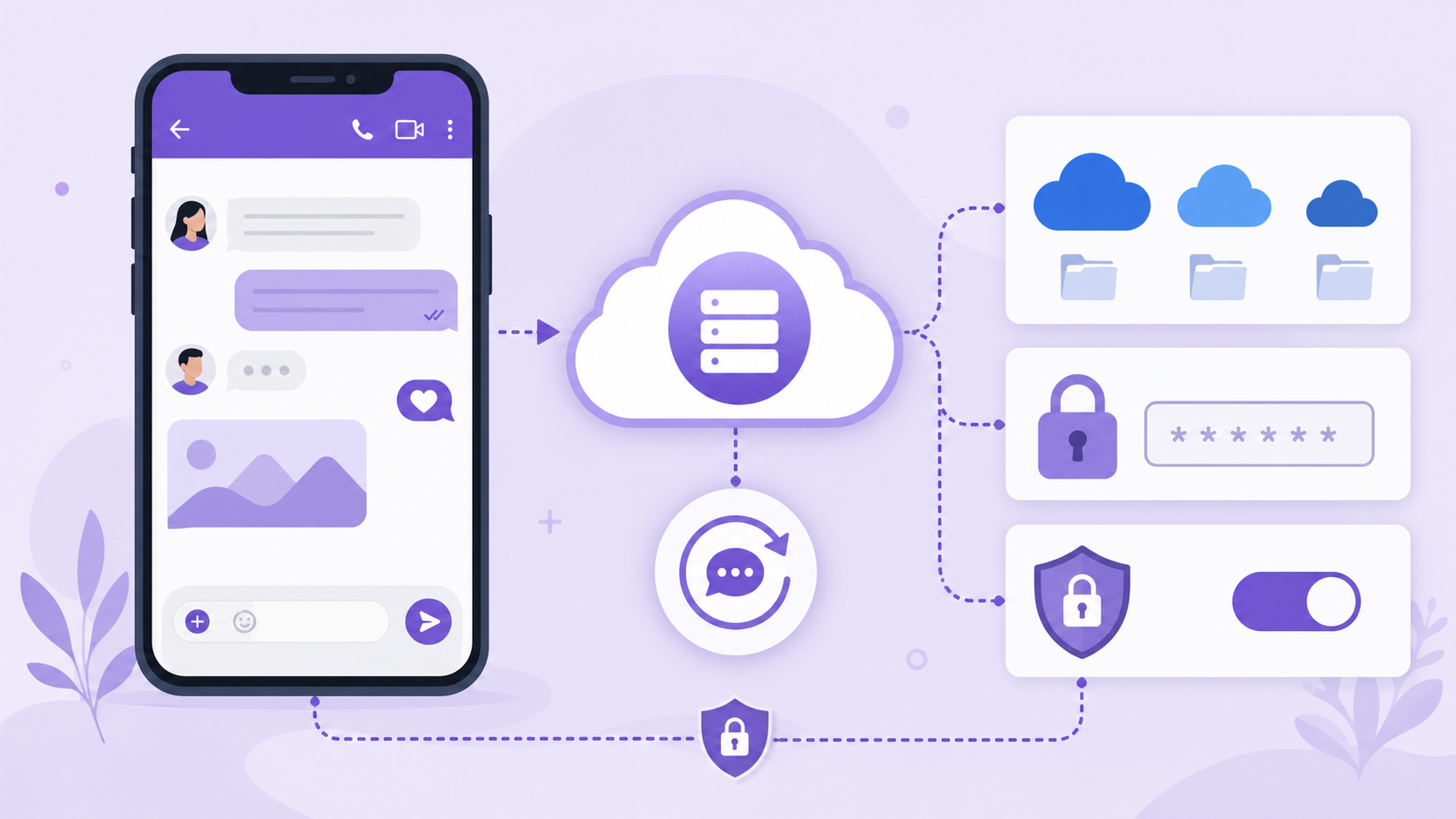
- Be careful with backups. Cloud backups may not have the same end-to-end protection as live encrypted chats, depending on platform and settings.
- Leave risky groups. If a group is full of spam links, investment schemes, or fake giveaways, exit and report it.
Practical Risks Users Should Know
Metadata and account information
Even when message content is encrypted, messaging services may still process certain technical data to operate the service. This can include phone number registration, device information, timestamps, contacts discovery, or delivery-related data. The exact handling depends on Viber’s current privacy policy and your settings.
Communities and public spaces
Viber communities and channels are different from private one-to-one chats. They are designed for broader communication, often with many participants. Do not treat posts in large communities as private, and avoid sharing sensitive personal information there. If you want tips on using community features more safely, the Viber Blog can be a useful place to explore related guidance.
Backups and device transfers
Many users forget that chat backups can change the privacy picture. If you back up chats to a cloud service, the security of that backup may depend on the cloud provider, your account password, and whether additional encryption is enabled. If a conversation is highly sensitive, consider whether you need to back it up at all.
Scams are still the biggest everyday risk
For typical users, the most likely problem is not someone breaking Viber encryption. It is someone tricking you into giving away a code, clicking a phishing link, sending money, or trusting a fake identity. Good judgment is still part of good security.
So, Is Viber Safe Enough?
Viber is safe enough for most everyday personal and business conversations when you use it carefully. Its end-to-end encryption protects private chats and calls, and its privacy settings give users meaningful control over visibility and unwanted contact. However, it is not a magic privacy tool. Sensitive users should pay close attention to backups, linked devices, public communities, and account takeover risks.
The best approach is practical: keep the app updated, lock down your phone, enable available verification features, limit what strangers can see, and treat urgent or unusual messages with caution. With those habits, Viber can be a secure and convenient way to communicate.
FAQ
Is Viber safe for private messages?
Yes. Viber private messages are protected with end-to-end encryption, which means the readable content is intended to be available only to the sender and recipient. You should still protect your device and avoid sharing sensitive information with untrusted contacts.
Can Viber read my messages?
Viber says it cannot read the content of end-to-end encrypted private chats. However, like most messaging services, it may process some account, device, and delivery-related data to run the service.
Are Viber calls encrypted?
Yes. Viber voice and video calls are encrypted between participants. Call privacy still depends on the security of your device, your network environment, and whether the person on the other end records or shares the conversation.
How do I make Viber more private?
Review Privacy settings, limit online status and read receipts, restrict profile photo visibility if available, use hidden chats for sensitive conversations, block unknown spammers, enable extra verification, and keep the app updated.
Is Viber safer than SMS?
For private conversations, Viber is generally safer than standard SMS because Viber supports end-to-end encryption while SMS is not end-to-end encrypted. SMS is also more exposed to SIM-swap attacks and carrier-level interception risks.